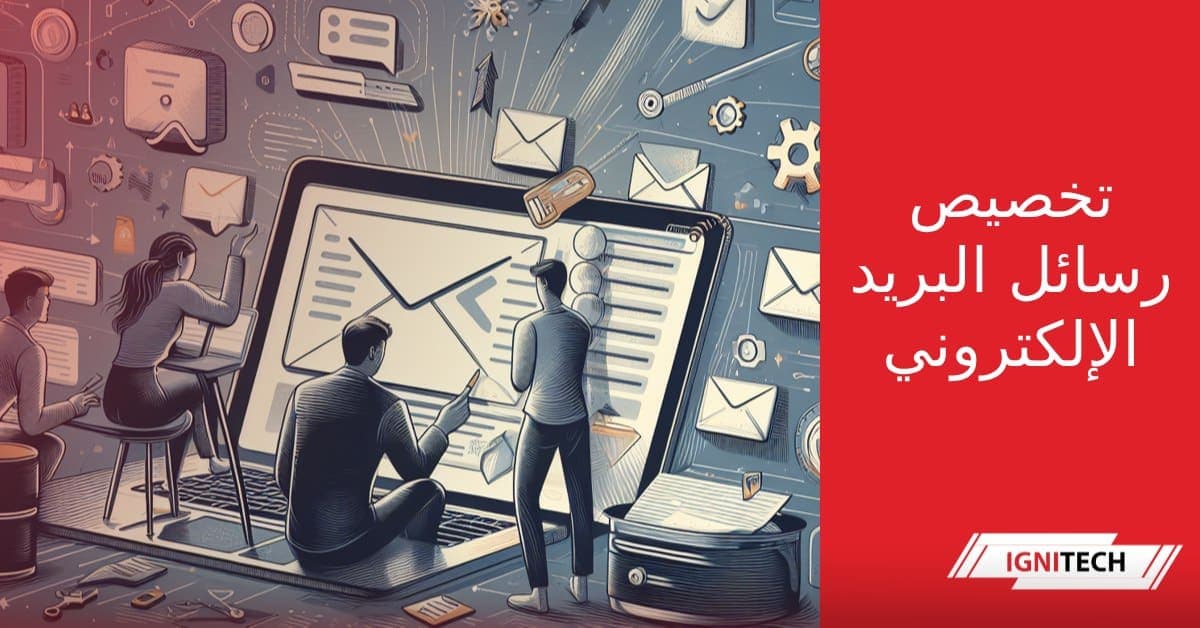
Email is one of the most common and effective ways to communicate in the digital age. Still, sending the same message to everyone is not always effective.
Email personalization is the key to capturing a recipient's attention and raising response rates. Whether you send newsletters, product offers or marketing messages, tailoring the content to a person's interests and behavior is essential.
In this article, we walk through 9 simple steps to personalize your emails like a pro. Follow these tips to create relevant, personal messages that catch the attention of your target recipients and encourage them to engage.
Why Email Personalization Matters
Before getting into the detailed steps, let's look at the main reasons to personalize your emails:
Higher open and click rates
Statistics show that personalized emails have open rates 14 percentage points higher than non-personalized ones. Click rates are also considerably higher.
| Email type | Open rate | Click rate |
|---|---|---|
| Non-personalized | 22% | 2% |
| Personalized | 36% | 4% |
Stronger relationships with recipients
Personalizing your messages shows recipients that you care about them as individuals. This helps build greater trust and loyalty.
A better user experience
Relevant, personalized emails make for a more enjoyable experience. Recipients feel the content speaks directly to them.
Better reach to your target audience
Personalization lets you send messages designed for different audience segments based on their interests and behavior. That means more potential conversions.
Now that you understand why personalization matters, let's move on to the actual steps.
The 9 Steps to Professional Email Personalization
Step 1: Collect customer data and segment your list
The first key step is to collect data about your email subscribers and sort them into groups with similar traits.
Email personalization depends on sending each recipient content that is relevant to them. But with a large database, you can't write a unique message for every person.
Instead, divide your subscriber base into segments based on factors such as:
- Demographics (age, gender, location)
- Length of subscription
- The type of content they engage with
- Past purchasing behavior
This helps you group people with shared interests. You can then personalize messages at the segment level.
Make sure your databases are clean, up to date and accurate before you personalize.Step 2: Set your campaign goals
Before you start preparing your emails, define clearly what you want to achieve.
Set specific goals such as:
- Increase the email open rate by 30%
- Increase the click rate on event invitations by 50%
- Increase repeat purchases by 15%
Clear goals will help you measure the success of your email personalization and improve future campaigns.
Step 3: Write distinct messages for each segment
Once you have divided your subscribers into segments, write messages for each group that fit their interests and profiles.
For example:
If you are writing to an education segment, be specific in your message. Talk about the challenges teachers face and how your product can help them.
If you have a segment of older adults, use a large, clear font and simple language.
Include pricing offers or rewards tailored to each segment.
The goal is effective communication: tie the message and the offer closely to the person receiving them.
Step 4: Personalize subject lines and content
Once you know what each email will say, add the next level of personalization by customizing the subject line and the body of the message.
Here are a few ideas:
Personalized subject lines:
Hi [Customer name], these discounts are just for you
[Customer name], we would like to share some exciting news with you
We picked these products especially for you, [Customer name]
Personalizing emails with the recipient's name creates a strong sense of uniqueness and individual attention.
Personalized content:
Refer to the person's past purchases or recent activity on your site
Recommend products similar to items they viewed or bought
Include links to content they viewed recently
This shows that you track customer activity and make relevant suggestions.
Step 5: Add the recipient's email address to the subject line
In addition to the person's name, you can also include their email address in the subject line.
For example:
Sender: Company @example.com
Subject line: Hello [john.doe@example.com], we have a special holiday offer for you
This helps the message reach the primary inbox instead of the spam or promotions folder.
It is also recommended to send a copy of the personalized email to your own default address, to avoid delivery problems.Step 6: Add media and graphics
To catch the reader's attention, combine visuals with the text of the email. Some options include:
Images:
- Product photos
- Illustrations
- Symbols or icons
- Personal photos of the team
Videos:
- Embedded videos or links to ads
- Brand introduction videos
Charts and tables:
- Data and statistics related to the product or the industry
Remember to tailor the media to each segment as well, to make it more relevant.
Step 7: Send surveys and questions to gather feedback
After you send personalized emails, take the opportunity to collect some feedback.
You can add simple polls or questions such as:
- Which features of product X matter most to you?
- How would you rate your recent experience with our customer service?
- What can we improve in our upcoming emails?
Your recipients' opinions will help you refine your email personalization strategy.
Step 8: Optimize your send times
Besides the content, the time you send an email plays an important role.
Test different times and watch the response to find the best times for your target audience.
As a general guideline, the following is recommended:
| Type | Best time |
|---|---|
| Newsletters | Evenings or early in the week |
| Product offers | Weekends |
| Urgent notifications | During business hours |
Step 9: Analyze the results and repeat
Once your personalized email campaign is live, you will need to track its performance closely.
Watch key metrics such as:
- Email open rates
- Click rates
- Conversion and sales rates
- Email bounce rates
You can also compare these metrics across segments to identify best practices.
Use the ongoing results to improve your future email personalization campaigns. You can adjust your audience segments, your send times and even the content of the messages themselves. Keep repeating this process to get better performance.
Although email personalization may take some extra effort, the significant impact it can have on response rates and on reaching your marketing goals certainly justifies it.
By following the nine steps above, you can start running successful email campaigns that deliver real value to your subscribers as part of your email marketing. Don't forget the importance of testing, measuring and repeating: the key to long-term success is keeping your emails fresh, relevant and as personal as possible.
Frequently Asked Questions
What are some common ways to segment a subscriber base?
Subscribers can be segmented by geographic, demographic and behavioral criteria, among others. For example, you can group together people from the same region, the same age group or the same buying pattern.
How long does effective personalization take?
For small campaigns, good personalization may take a few extra hours per week. But it is best seen as an investment that pays off over time through higher conversion rates and stronger customer loyalty.
How many segments can I create without overcomplicating things?
Start with 3 to 5 main segments. You can add more later, once your personalization process matures. To begin with, focus on the biggest differences in interests and behavior between your main audience groups.
Can email tools like MailChimp personalize automatically?
Yes. Platforms like MailChimp and Constant Contact offer advanced features for personalization and automatic list segmentation based on user behavior and past interactions. Still, it is advisable to add a layer of manual personalization as well.
How much of each email should be personalized?
It is preferable to personalize at least 40-50% of each email's content, depending on the needs and behavior of each subscriber segment. This includes the subject line, the opening message, the main content elements, and the images and offers.
Can I measure the effectiveness of my email personalization?
Yes. You should always track results regularly through key metrics such as open, click and conversion rates. You can also compare this performance across audience segments to identify the most engaging and effective messages.
How can personalization help fight spam?
Personalization focuses on sending relevant messages based on recipients' interests, which reduces the likelihood that they will be flagged as spam.